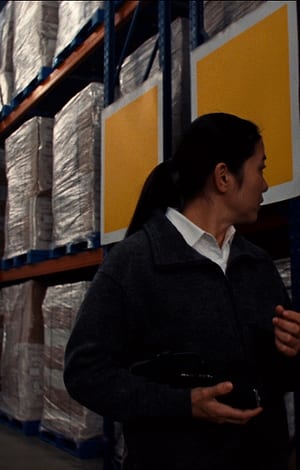
01
Healthcare 3PL
Stock for several principals and distributors, in one facility.
Starts with
- 01Multi-Client WMS
- 04Quality and GDP
- 09Client Portal
- 10Activity Billing
Pharmatica Logistics · Pharmaceutical Logistics Management System
For healthcare 3PLs. Record what arrived, where it sits, how cold it was kept and what was delivered. Each client sees only their own stock.

Video could not load. The still is shown.
Built for Pharmaceutical Logistics
Healthcare 3PLs and regulated warehouses
You deploy Pharmatica Logistics in phases. The first phase follows the work your business depends on.
Stock for several principals and distributors, in one facility.
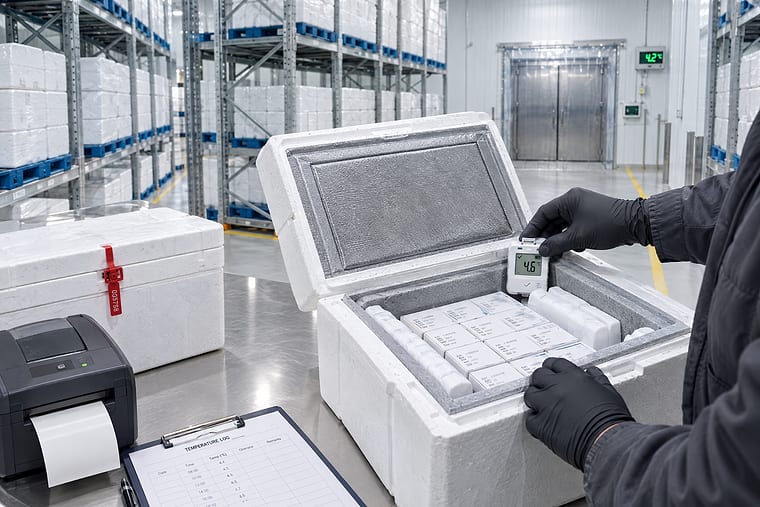
Stock that must stay within mapped conditions, with evidence on every batch.
Your own stock and your clients’ stock in one building.
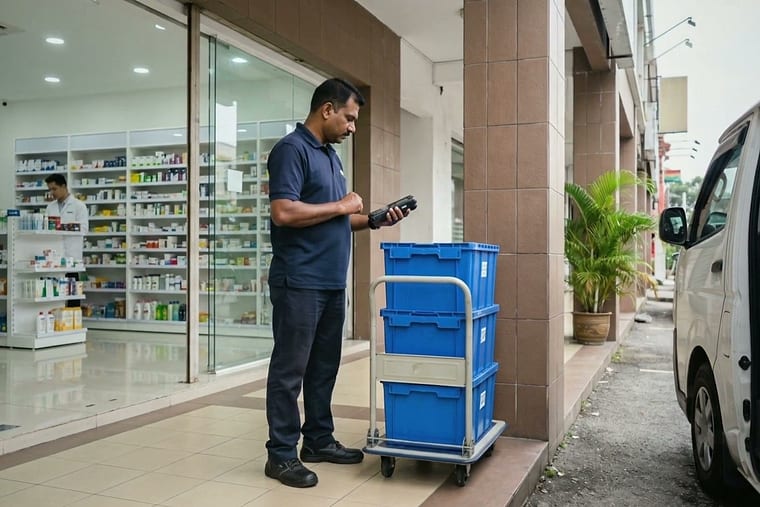
Deliveries to pharmacies, clinics and hospitals for your clients.
1 / 4 · swipe
If you are not ready to replace your WMS, start with the 3PL Client Portal, SLA and activity billing.
What changes
Pharmaceutical Logistics Management System
Four things 3PLs tell us slow them down, and what the system does instead.
Before: temperature records sit apart from batch and location records.
Temperature records are matched to each batch and shipment. An alarm lists every batch in the zone.
Before: clients’ stock is told apart by one field in one inventory.
Each client’s stock is kept separate. The scanner refuses a pick from the wrong client.
A-12-03Principal A · 240 units
Principal A onlyA-12-04Principal B · pick request
Refused · wrong clientBefore: clients ask for stock and expiry by phone and email.
Each client sees their own stock, holds and expiry online.
Billing run · Principal A1,284 lines from recorded work
Before: monthly invoices are rebuilt from spreadsheets.
Invoices are built from recorded work. Each line names the work behind it.
How it works
Pharmaceutical Logistics Management System
Each stage is handled by a named system inside Pharmatica Logistics. Every stage records which client owns the stock.
STAGE 01 / 07
Stage 01
ASN, GRN, batch, expiry, inspection and release are recorded as one sequence. Stock is not pickable until a named person releases it.
Handled by Quality and GDP WorkflowStage 02
Each stock owner is kept separate in one facility, with its own rules and reports.
Handled by Multi-Client Warehouse ManagementStage 03
Sensor readings become alerts, quarantine, an investigation and a recorded disposition. Raw readings are stored separately from the decision made about them.
Handled by Cold-Chain ManagementStage 04
FEFO picking, packing and dispatch run from work queues with measured turnaround. Each order picks only from its own client’s released stock.
Handled by Multi-Client Warehouse ManagementStage 05
Recipient, signature, image, time, location and temperature are captured at the door. A failed stop is recorded with its reason and a reattempt.
Handled by Transport Management · Electronic Proof of DeliveryStage 06
Accuracy, turnaround, fill rate and utilisation are measured per client against contract. A breach raises an alert and names the order behind it.
Handled by Warehouse Labour and SLA ManagementStage 07
Storage, movements, picks, deliveries and services are billed from recorded activity. Each invoice line traces back to the activity that produced it.
Handled by 3PL Contract and Activity BillingFive roles work from the same record. Each one sees its own exceptions and acts on them.
SeesCapacity, SLA and profit by client.
DoesReview each contract against the work actually done.
SeesWork queues, the bin map by owner and today’s waves.
DoesDirect receiving, put-away, picking and dispatch.
SeesInspections, holds, excursions and calibration dates.
DoesRelease stock and record dispositions by name.
SeesEach client’s stock, holds and SLA, as the client sees them.
DoesAnswer client questions from the same record.
SeesBillable activity by client, with evidence for each line.
DoesReview unbilled activity and issue e-Invoices.
1 / 5 · swipe
WHO IT IS FOR
Pharmatica Logistics fits warehouses and 3PLs that hold stock for their clients. If it is not the right fit, we will say so on the first call.
What is included
Pharmaceutical Logistics Management System
Twelve systems in five areas. Start with the ones you need.
| Client | Pallets | State |
|---|---|---|
| Principal A | 1,280 | Available |
| Distributor B | 640 | Available |
| Principal C | 210 | Partly held |
Start with the systems you need. Each addition is scoped and quoted in writing.
Explore the platformWHAT IS INCLUDED · WHERE YOUR TEAM USES IT
The same record appears on the dock, in the cold room, on the road and in the office.
| Client | Exception | State |
|---|---|---|
| Principal A | Turnaround 26 h | Breach |
| Distributor B | Relabelling rate | Review |
| Principal C | CR-02 excursion | Alert |
Managers see stock, throughput, exceptions and SLA by client.
ZONE CR-02
11.4 °CThe duty supervisor acknowledges an excursion alert by name.
PALLET
P-88214-03The scanner directs put-away and refuses a bin owned by another client.
PRINCIPAL C · BIN
C-04-12Stock is counted by bin and owner, and each variance is recorded with a reason.
1 / 4 · swipe
Rules
Pharmaceutical Logistics Management System
14
regulatory controls recorded as you work
Keeping your current till or accounting software? It connects, and each connection has one owner.
Getting started
Pharmaceutical Logistics Management System
Guided Deployment is our standard method for putting Pharmatica into a live business. Six phases, a defined scope, and a signed exit at each one.
What is in scope is agreed and signed before work starts, so the project does not drift. Every phase ends in a document you sign, and the next phase does not begin until you do.
Discovery comes first, because master-data defects surface late and cost the most to fix in month four. Data migration runs in three passes. Rollout goes by cohort, and nothing moves to the next cohort until the last one reconciles.
EXIT
A written scope and a stated success criterion
EXIT
Signed design, including what is out of scope
EXIT
Three passes; the third is the cutover pass
EXIT
Ten consecutive reconciled days, signed weekly
EXIT
Legacy retired only after that sign-off
EXIT
Support model and named owners agreed
Your team keeps working through go-live. Guided Deployment brings up the workflows the business runs on first.
See how Guided Deployment worksQuestions
Pharmaceutical Logistics Management System
Our six-step setup has a sign-off at the end of each step. The time for your business is written in your scope. Your old system is switched off only after ten days of matching figures.
Each client’s stock moves with its owner, batch, expiry, status and location. Data moves in three passes. Each client’s opening balance is checked before the switch-over.
Yes. Keep your current till or accounting software and connect it. Each connection has one owner, agreed in the signed design.
Production and backup regions are written in your agreement. Any service that handles data outside Malaysia is named, with its region and the data it handles.
See security and PDPAThe pilot starts from a written scope and a stated measure of success. It covers the warehouse and the clients you choose. A strategy session takes 90 minutes and ends with a written scope for a pilot.
A strategy session takes 90 minutes. It ends with a written scope for a pilot.